
Overheating Repair in Noida
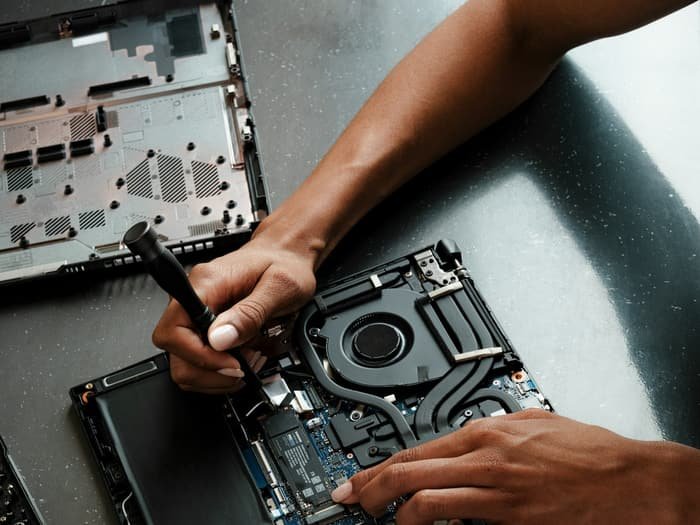
Overheating repair strips down the cooling assembly, fans, heat pipes and vents, clears out dust buildup, and replaces dried-out thermal paste on the CPU/GPU so heat is carried away properly again.
- Turnaround: 2–3 hrs
- Expert Diagnosis
- Warranty Included
- Genuine Parts
Do You Need Overheating Repair?
- Fan running loud and constant, even for light tasks
- Laptop base uncomfortably hot to touch
- Performance throttles or slows down under load
- Random shutdowns during gaming, rendering or heavy use
- Fan spins but doesn't seem to reduce the heat
How we approach it: We disassemble the cooling assembly fully rather than blowing compressed air through the vents, surface cleaning alone rarely fixes dried-out thermal paste.
Overheating Repair, By Brand
Select your laptop's brand for model-specific notes and FAQs.

Dell Overheating Repair
Fan cleaning, thermal paste replacement and vent servicing to cool things down.
View details
HP Overheating Repair
Fan cleaning, thermal paste replacement and vent servicing to cool things down.
View details
Lenovo Overheating Repair
Fan cleaning, thermal paste replacement and vent servicing to cool things down.
View details
Apple Overheating Repair
Fan cleaning, thermal paste replacement and vent servicing to cool things down.
View details
ASUS Overheating Repair
Fan cleaning, thermal paste replacement and vent servicing to cool things down.
View details
Acer Overheating Repair
Fan cleaning, thermal paste replacement and vent servicing to cool things down.
View detailsFrequently Asked Questions
How much does Overheating Repair cost?
Is Overheating Repair covered by warranty?
How long does Overheating Repair take?
Overheating Repair Fixed Right, Fast
Expert diagnosis. Genuine parts. Warranty included. Typical turnaround: 2–3 hrs.
Book Your Repair Today
Walk in, call, or send us a WhatsApp message, we'll take it from there.
Contact Lappytech Solutions
Sector 18, Noida, 5 minutes from Sector 18 Metro Station.